
Your playlists, yours again.
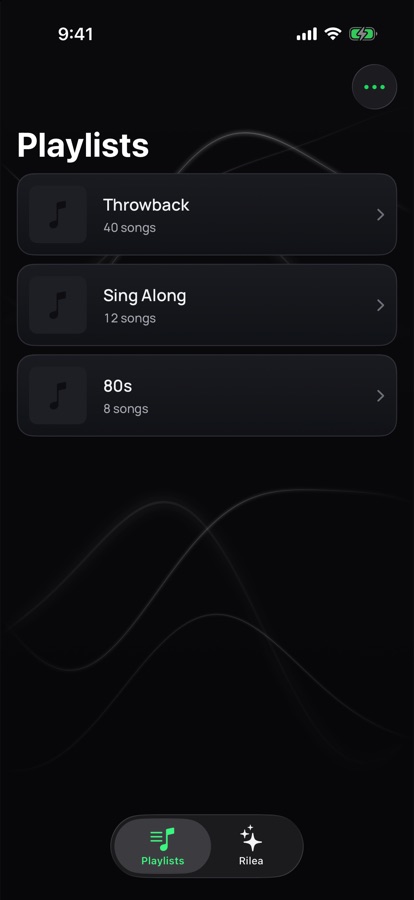
Rilea cleans up, expands and splits your Apple Music and SoundCloud playlists. Rilea suggests, you decide by swiping, and nothing is written until you apply it.
iPhone and iPad, iOS 26 or later. Free during the beta.
How it works
Three steps, no surprises.
- 1
Connect
Sign in to Apple Music or SoundCloud. Rilea reads only the playlists you own.
- 2
Swipe
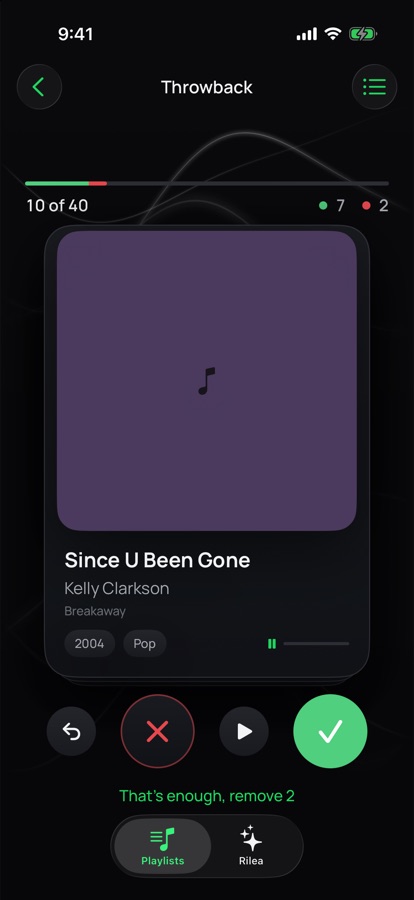
Every song becomes a card with a 30-second preview. Left removes, right keeps. Undo anytime.
- 3
Apply
You see exactly what changes before anything is written. On Apple Music a cleaned copy is created, on SoundCloud your own set is edited in place.
Clean up
Quick Clean finds the shaky candidates first.
Duplicates, live versions, remasters and outliers land at the top of the deck. Rilea rates them and explains each one in a sentence. Stop whenever you like, everything unseen stays in.
Expand
Suggestions that fit this playlist, not a genre.
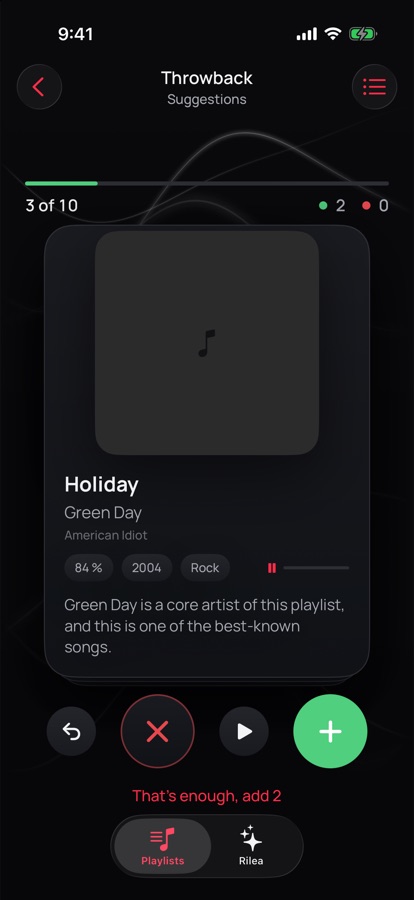
Rilea reads the playlist as your personal definition: the name, the era, the artists that dominate. Suggestions come from the catalog with a preview, and more keep loading while you swipe.
Chat
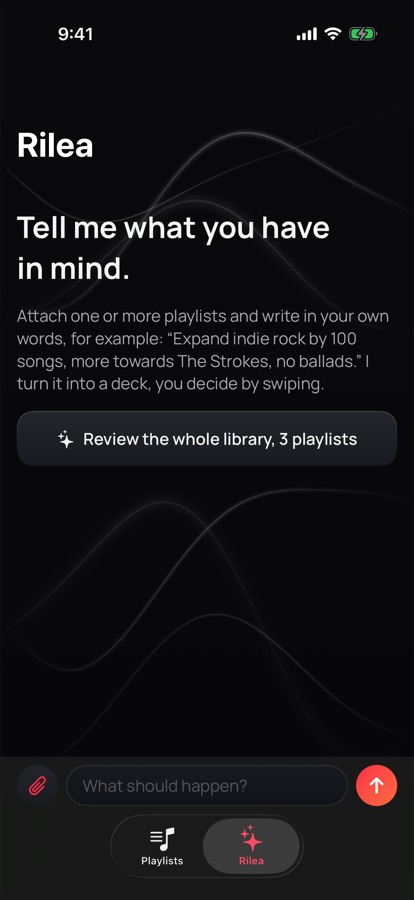
Say it in your own words.
“Expand indie rock by 100 songs, no ballads.” “Make a best-of from these five playlists.” Rilea turns it into a deck, you decide by swiping.
Split
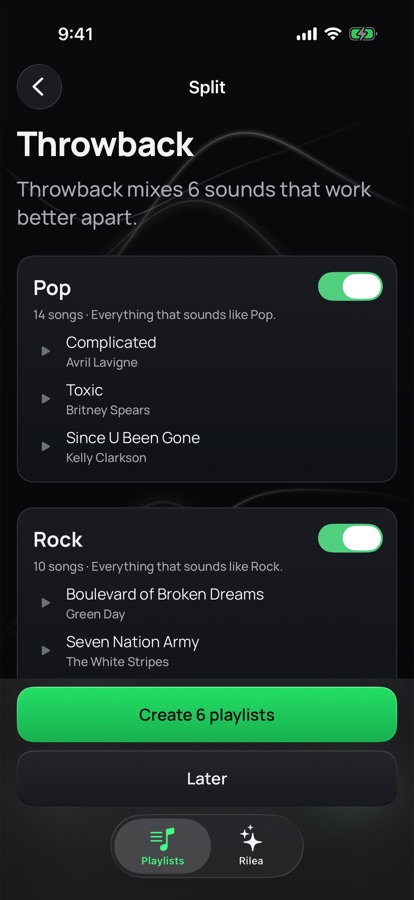
One playlist, several sounds.
Rilea hears the sounds inside a grown playlist and proposes new ones. You pick the clusters, sort the edge cases, and the original stays untouched.
Works with
Apple Music and SoundCloud.
Choose your service in the app. The accent follows: red for Apple Music, orange for SoundCloud. You can switch anytime in Settings.
On SoundCloud, Rilea reads your sets and likes, cleans up, splits and transfers to Apple Music. Suggestions are rougher there, because SoundCloud has no curated catalog. Spotify is coming soon. Join the waitlist.
Coming soon
Spotify is next.
Spotify only lets new apps in after they reach a certain size. Leave your email and we will write to you once, the day Rilea works with Spotify.
What it does
Built around one rule.
Rilea suggests, you decide
Nothing is removed or added without your swipe. The review shows every change before it is written.
Previews on every card
30 seconds of every song. On SoundCloud the preview streams straight from the track.
Sessions that survive
Every decision is logged on the device. Close the app, come back next week, continue where you left off.
Nothing is lost on Apple Music
Apple Music does not let apps remove songs from your playlists. Rilea creates a cleaned copy and leaves the original alone.
Facts while you wait
While Rilea reads a playlist, you see what is in it: the strongest year, the artist that carries it, the longest song.
No account, no tracking
No sign-up. Playlist names and song metadata go to the Rilea backend in Frankfurt and to Anthropic to generate suggestions. No listening history, no ads.
Questions
Short answers.
Does Rilea change my playlists without asking?
No. Reading is free, writing happens only after you confirm in the review.
Why a copy on Apple Music?
Apple's MusicKit lets apps add songs to a playlist but not remove them. A cleaned copy is the only honest way. You can give it the old name and cover in the Music app.
What does SoundCloud need?
A SoundCloud account. You sign in with SoundCloud, Rilea reads your sets and likes, and writes back only after the review. Transfers to Apple Music match by title and artist, so remixes and DJ sets that exist only on SoundCloud stay where they are.
Why is Spotify not listed?
Spotify keeps new apps at five test users until they reach a certain size. Spotify support is coming; join the waitlist and we will tell you when it is ready.
What does it cost?
The beta is free. Later: cleaning up by hand stays free, the AI parts come with Rilea Pro.
Is there a web version?
Not yet. The backend is ready for it; the swipe experience is built for the phone first.
Try it this week.
Rilea is in TestFlight with a small group. Join, clean up one playlist, and tell us what felt wrong.